3. Manually add computers
Manual adding can be used when a student computer is not found by network scan, is in another classroom network, or must be added by a fixed IP address or DNS name.
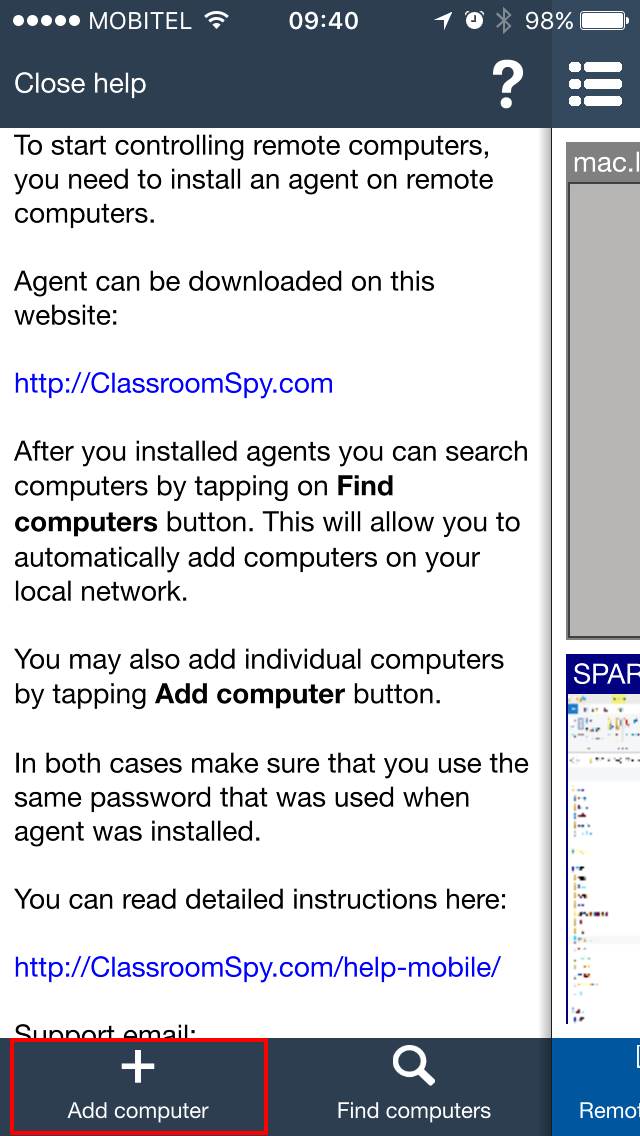
Tap Add computer.
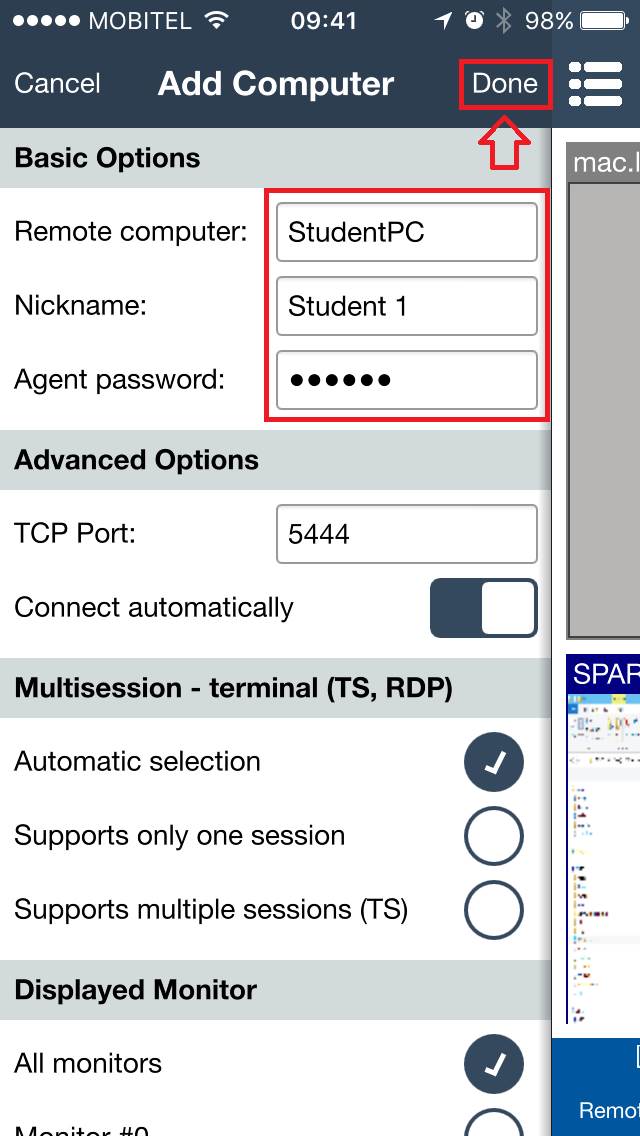
Fill in the required fields. In Remote computer, enter the IP address or DNS host name of the student computer. Enter the Agent password that was chosen during Agent installation.
When the information is correct, tap Done.
To review a computer later, open its Properties. Under Connection Type, a confirmed TLS connection shows the pinned certificate fingerprint below Cloud status. Tap Copy cert to copy it to the device clipboard, or Forget cert to remove the saved certificate pin. These controls are hidden when TLS is not used.
When manual adding is useful
- A teacher needs to add one student computer that was not discovered automatically.
- A computer lab uses fixed computer names or fixed IP addresses.
- The teacher is connecting through a network where automatic discovery is not available.