4. Computer list view
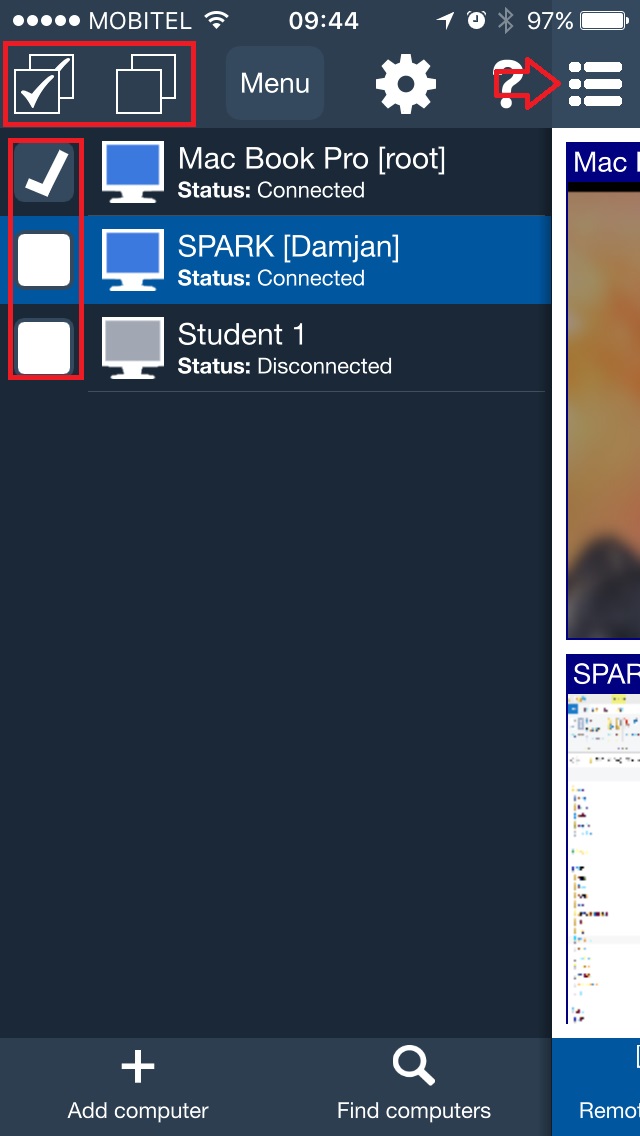
Computer list view shows the student computers that were added to the mobile console. It is used to choose which computers will receive an action, and it helps the teacher switch between students during a lesson.
How selection works
- Tap one computer to select it for viewing or Remote control.
- Use checkboxes to select several student computers for the same action.
- Hide the computer list with the menu icon when you need more screen space on a phone.
Typical classroom use is to select all computers in one lesson group, then open Tools, Processes, Remote screens, or another view for the selected students.