1. Install Agent
The Agent must be installed on each student computer that the teacher wants to monitor or help from the mobile console. This allows the phone or tablet console to connect to classroom computers, show student screens, run classroom actions, and start Remote control when needed.
Download the desktop package from the download page:
Start installation on a student Windows, macOS, or Linux computer. During setup, choose the option that installs the Agent.
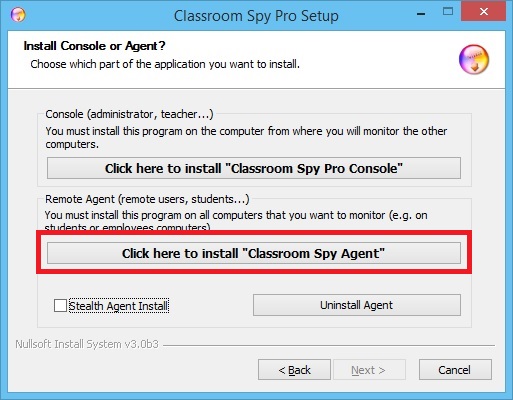
Continue until the Agent configuration screen is displayed.
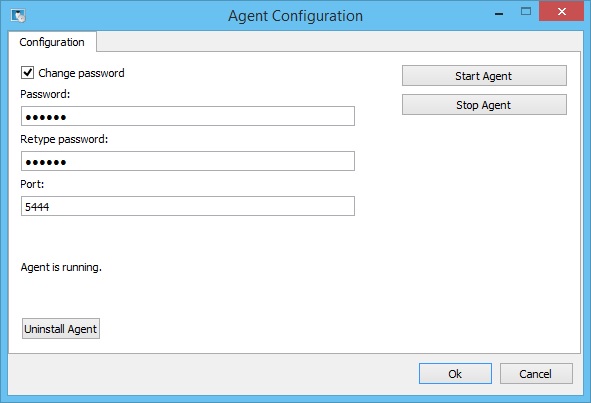
What to enter during Agent setup
- Password protects access to the student computer from the console. Use a password that teachers know and students do not know.
- Same password on classroom computers makes it easier to add many student computers to the mobile console.
- Firewall access must allow the Classroom Spy Pro connection. If computers are not discovered later, check local network and firewall settings.
Finish the installation and repeat these steps on all student computers that will be monitored in the classroom.