2. Find and add PCs / Macs
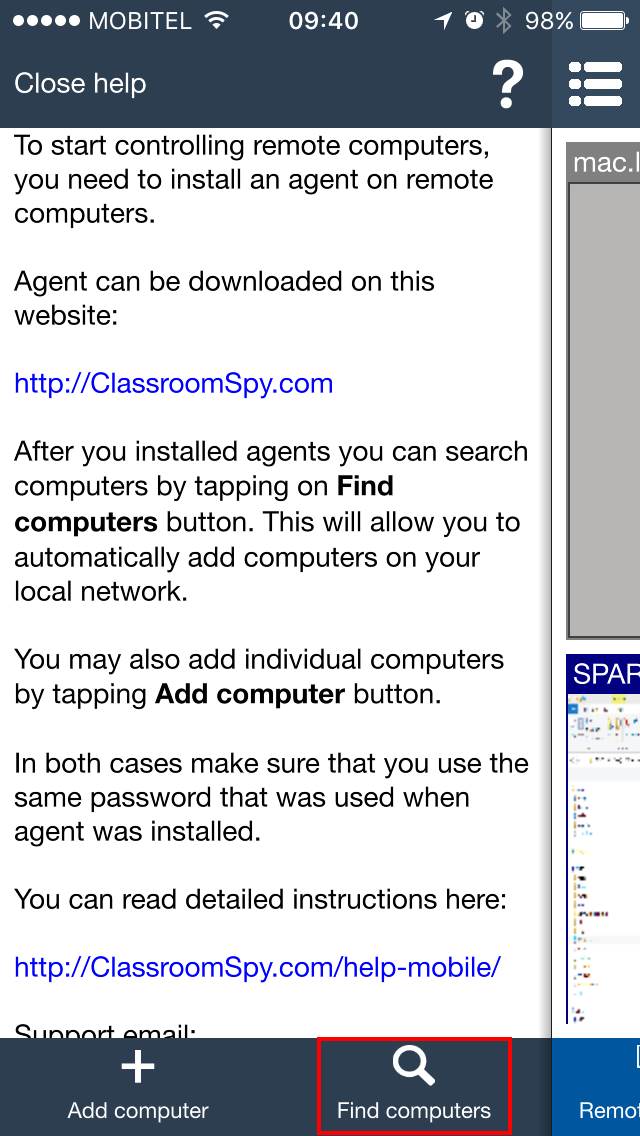
Find computers can be used when the teacher phone or tablet is connected to the same local network as the student computers. This is the fastest way to add a classroom or computer lab to the mobile console.
Open the mobile console and tap Find computers.
Enter the Agent password that was chosen during Agent installation. Then tap Scan computers.
The console scans the local network for student computers where the Agent is installed. If no computers are found, check that the mobile device is connected to the correct WiFi network and tap Scan computers again.
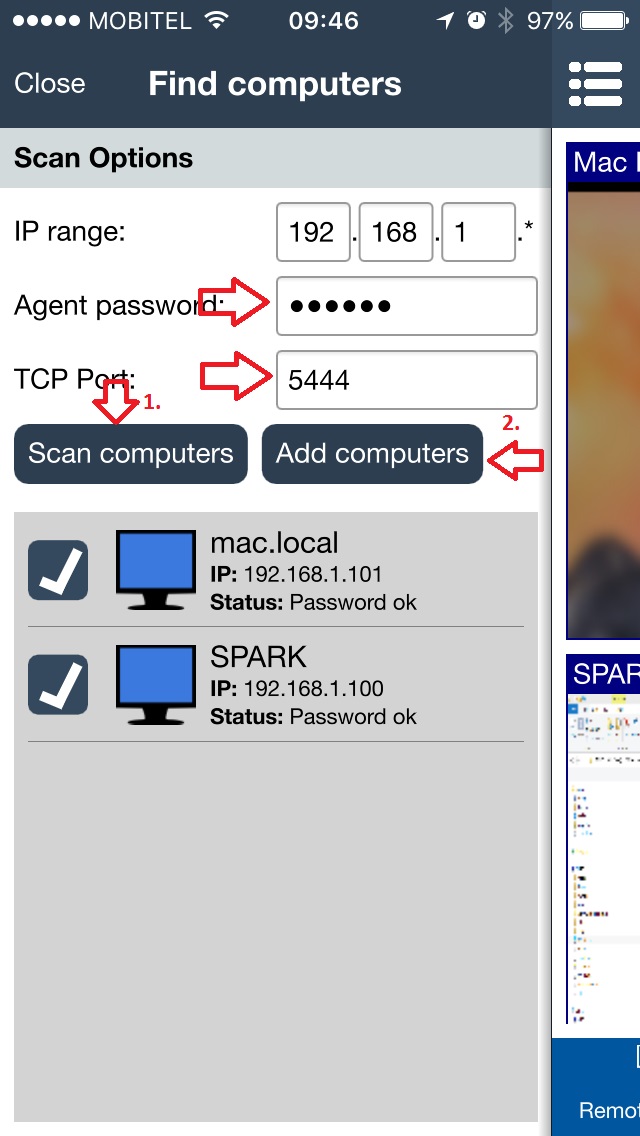
After computers are found
- Select the student computers that belong to this classroom.
- Tap Add computers to save them in the mobile console.
- If some computers are on another network, add them manually in the next chapter.