9. Remote control
Remote control can be used when a teacher needs to help a student directly on the student computer without taking the student's seat. It is useful for fixing a problem, showing the next step, opening a lesson file, or demonstrating where a student should click.
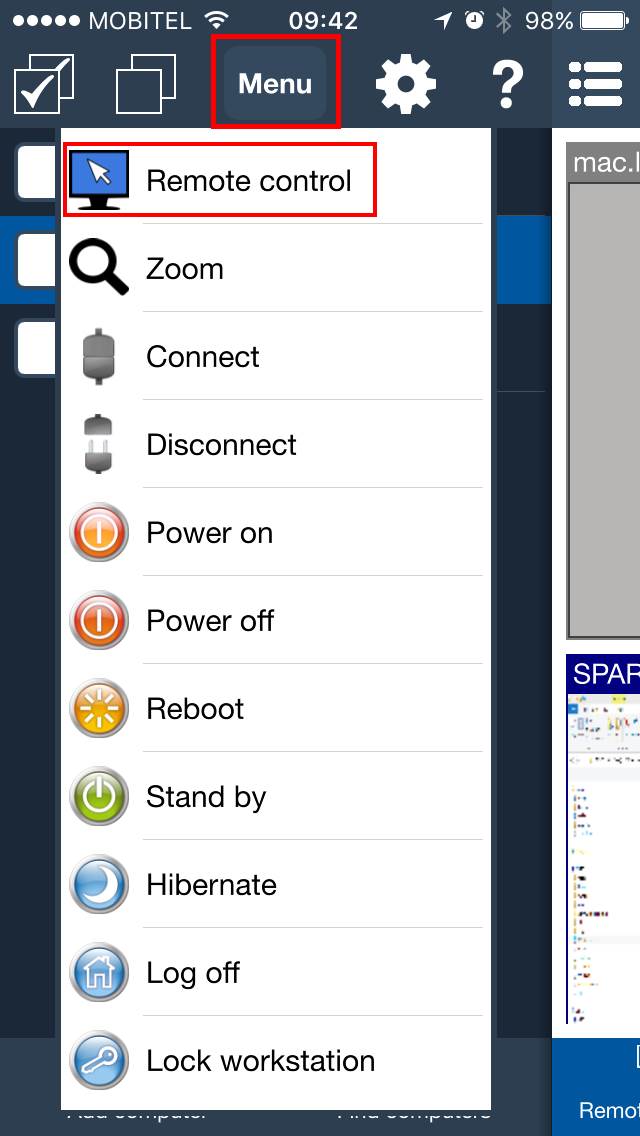
Choose Remote control from the Action menu.
In the remote view, drag the on-screen mouse to move the pointer on the student computer. Tap mouse buttons to click. Open the keyboard when you need to type.
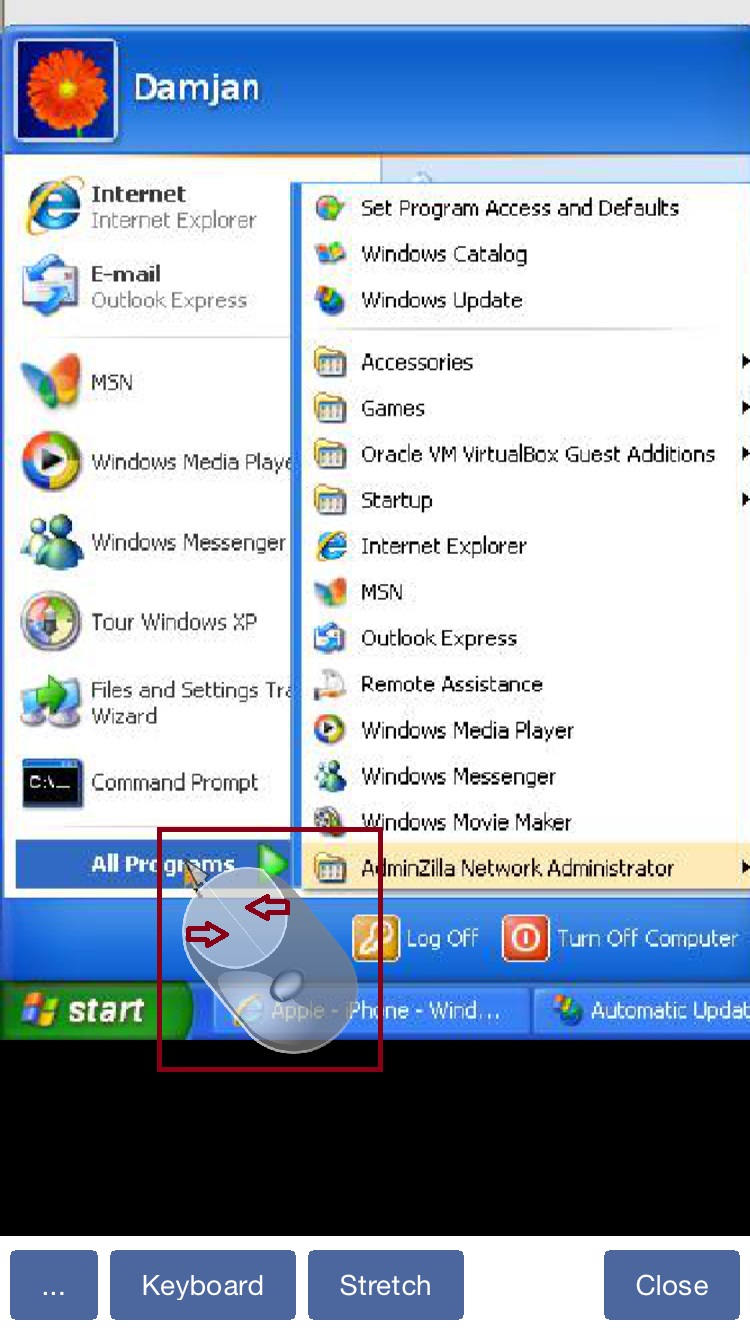
Options in remote control
- Use mouse controls for precise clicks on the student computer.
- Open the keyboard to type text, commands, or a web address.
- Open the object menu for additional options, such as choosing which monitor to control on multi-monitor computers.
Blank remote screen: Shows black on the remote displays while the console keeps showing the desktop, and automatically locks local input. Off by default.Lock remote mouse and keyboardblocks the physical keyboard, mouse, and laptop trackpad on a Windows student computer while the teacher can still control it. This option is off by default.Synchronize clipboardautomatically exchanges clipboard data between the teacher and student computers. This option is on by default.Send clipboardsends the teacher's current clipboard to the student computer when automatic synchronization is off.Retrieve clipboardcopies the student computer's clipboard to the teacher's device when automatic synchronization is off.
On Windows, remote-input locking is reapplied if the student computer switches to the security or sign-in screen, including after Send Ctrl + Alt + Del.
Frequently Asked Questions
Can I lock student input from Mobile Console?
Yes. Select Lock remote mouse and keyboard during Remote control. Physical input is blocked on the Windows student computer, including on sign-in and security screens, while the teacher can continue controlling it.
Can I transfer clipboard data only when I choose?
Yes. Clear Synchronize clipboard, then use Send clipboard or Retrieve clipboard when you want to transfer clipboard data.
Screen blanking FAQ
How can I blank the remote screen while keeping my console view?
Enable Remote control and select Blank remote screen. The remote displays turn black while you continue to see and control the desktop. In Desktop Console, use the checkbox in the third toolbar column. In Mobile Console for iOS or Android, select the same option from the remote-control menu. Blanking is off by default.
Do I need to lock the remote mouse and keyboard separately?
No. Lock remote mouse and keyboard is checked automatically and cannot be cleared while blanking is active. The remote user's keyboard, mouse, and trackpad are blocked; console input continues to work. Ending blanking restores the previous manual input-lock setting.
Why is Blank remote screen unavailable?
The remote computer must run Windows 10 version 2004 or newer, including Windows 11, with an updated Windows Agent started by its service. Connect to the computer and enable Remote control. Update both Console and Agent and restart the Agent service if needed. Remote screen blanking is not supported on macOS, Linux, or ChromeOS agents.
How do I restore the remote display?
Clear Blank remote screen, turn off Remote control, or close the remote-control window. If screen refresh requests stop, blanking ends automatically after about 10 seconds. A blanking-failure warning means the remote user may see the desktop; check the blanking state before continuing.